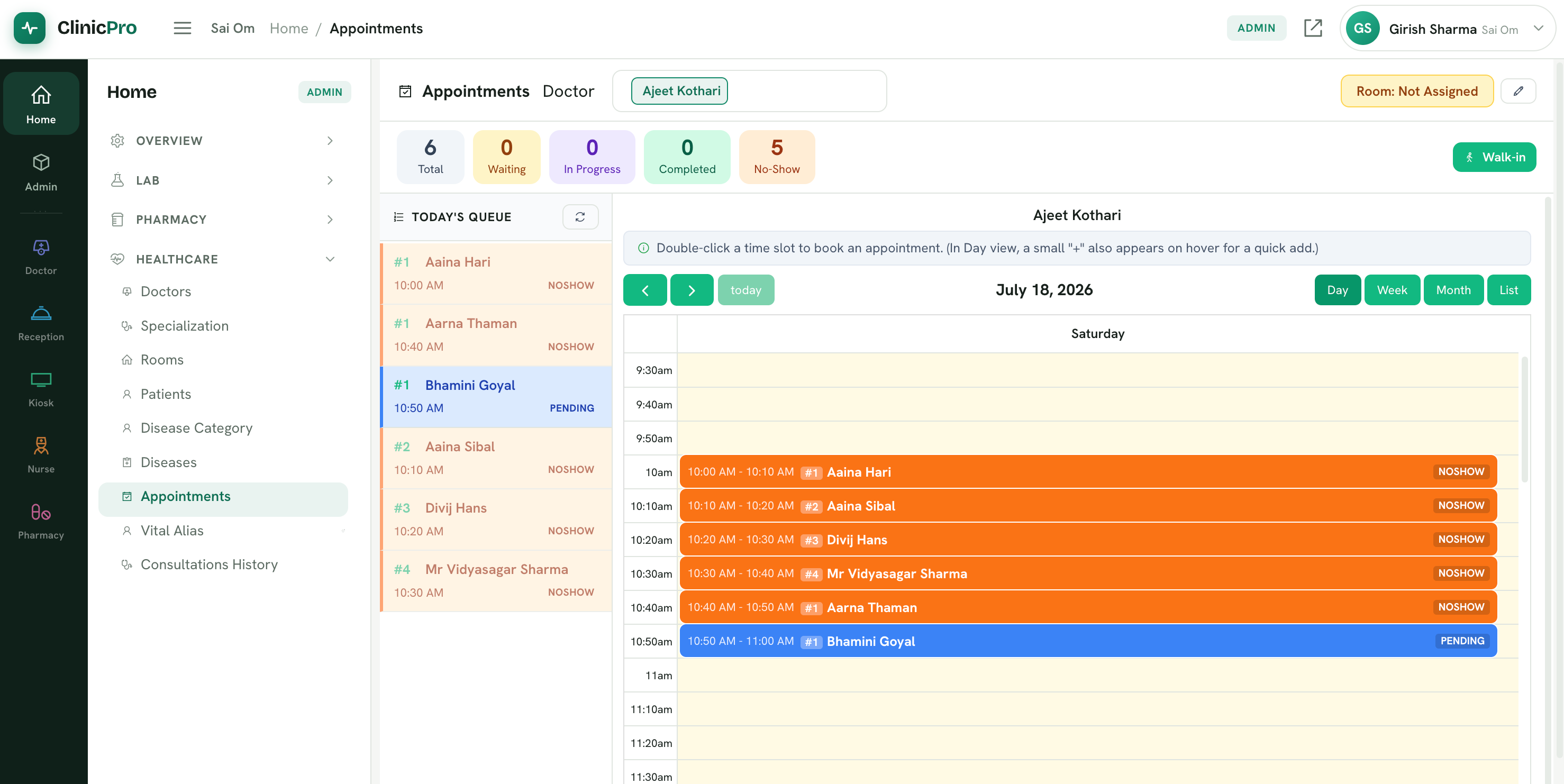
Admin Portal
The Admin Portal gives the clinic admin complete control over appointments, patient records, doctors and other administrative activities.
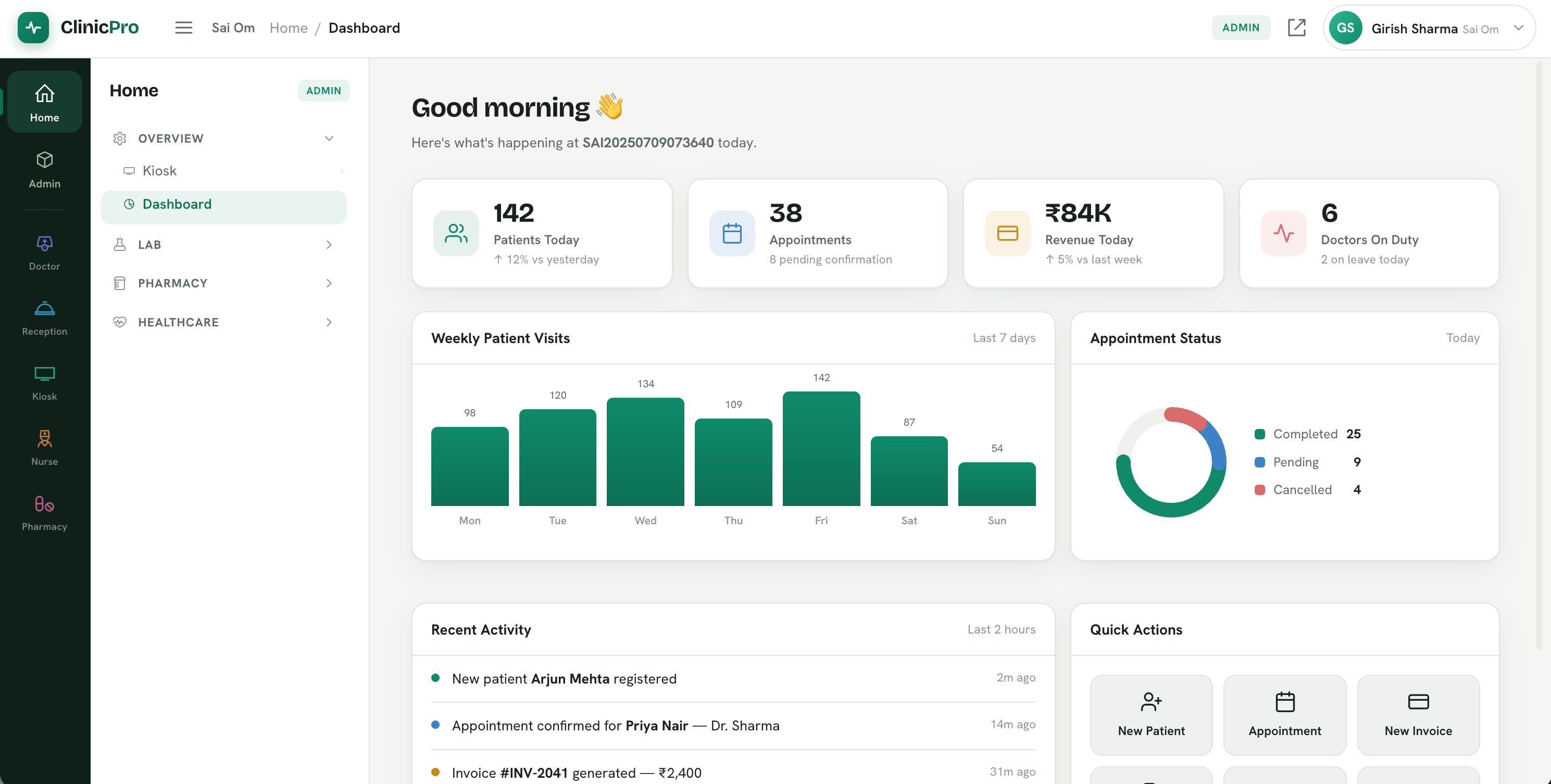
Doctor Portal
When doctors log in, they can view their scheduled appointments for the day and access each patient's medical history, vital signs, lab reports, and current treatment during the consultation. They can call the next patient directly from the system, which automatically announces the patient's name on the waiting area kiosk and guides them to the consultation room. Doctors can also prescribe medicines, order diagnostic tests, and schedule follow-up appointments from the same screen.
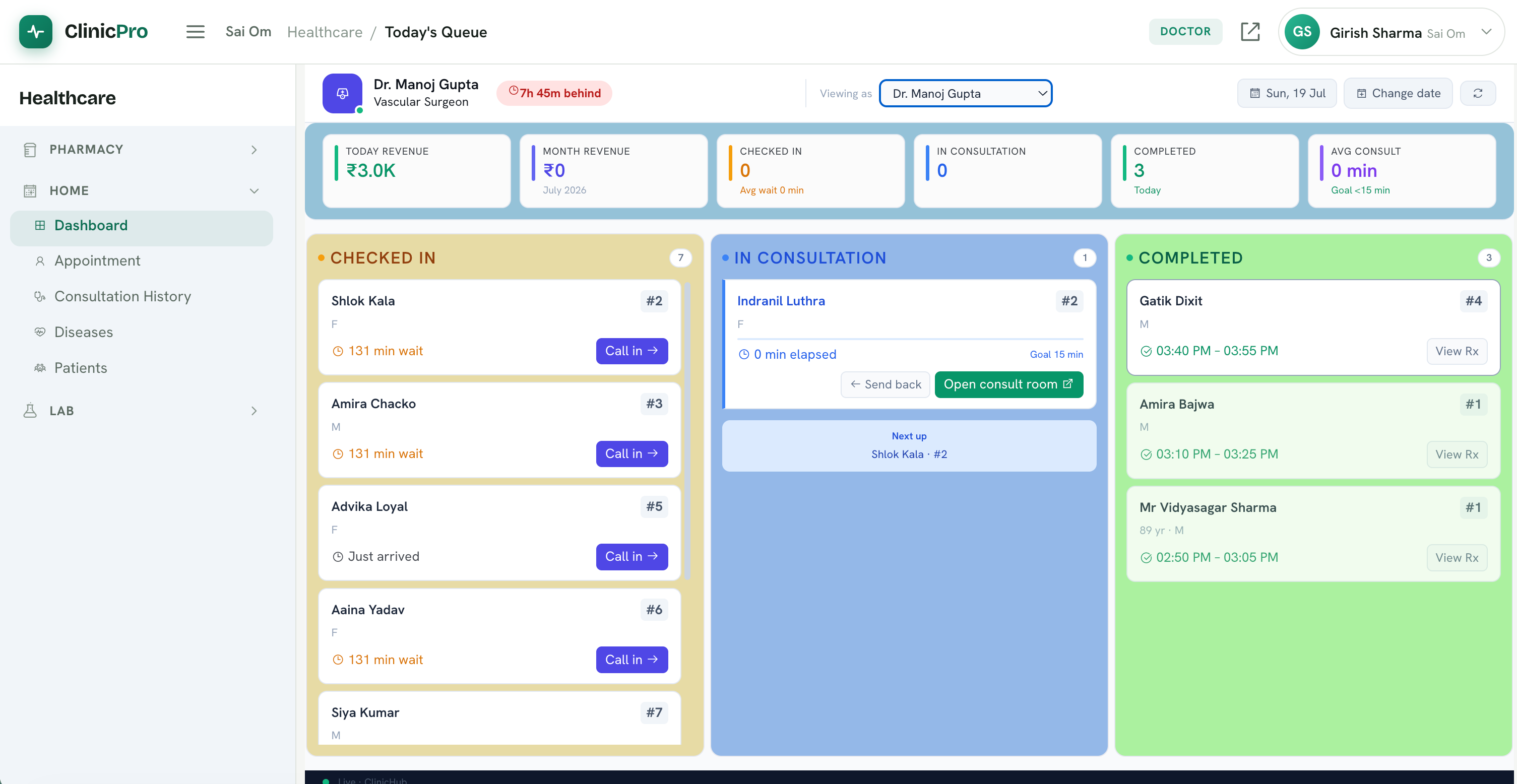
Consultation Page
The Consultation screen gives doctors a complete view of the patient's history, vital signs, trends, laboratory results, current treatment, and previous prescriptions in one place. During the consultation, doctors can record findings, prescribe medicines, order diagnostic tests, and update the treatment plan efficiently. AI-assisted consultation insights are also available to support faster, more informed clinical decisions.
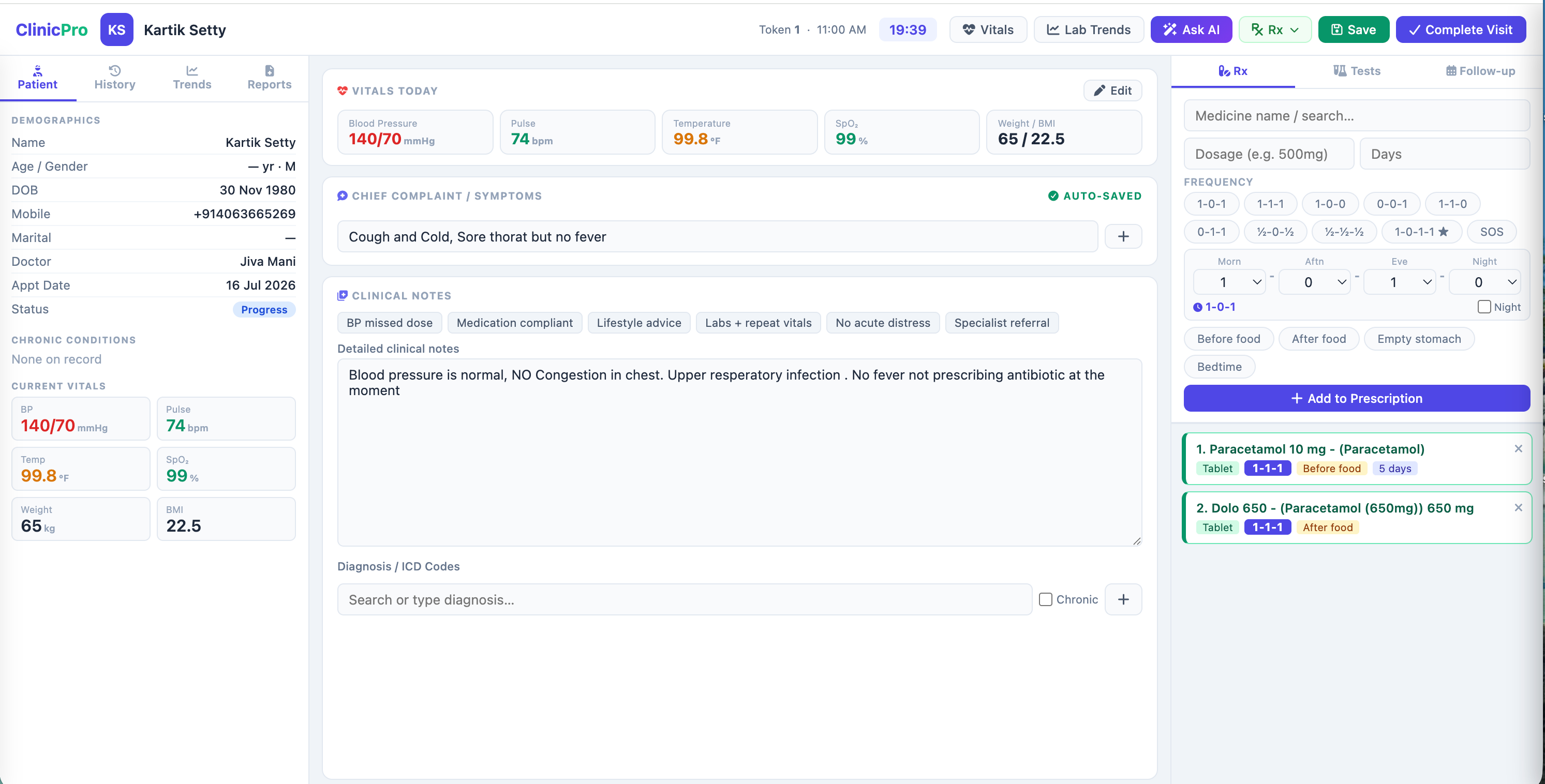
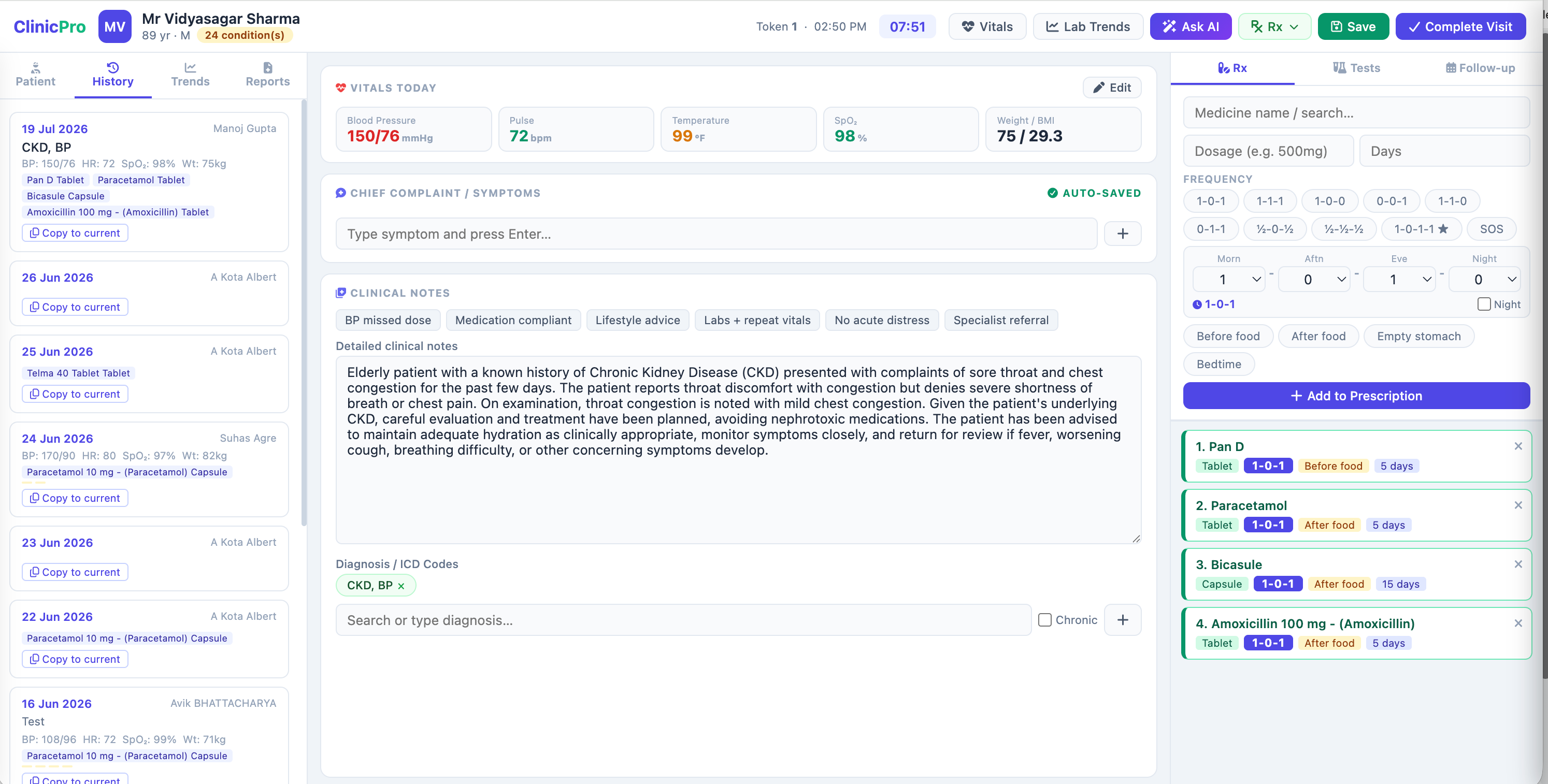
Consultation History
During consultation, doctors can instantly access a patient's previous consultation history and copy any earlier consultation with a single click. They can then modify the copied details as needed, saving time and eliminating repetitive data entry
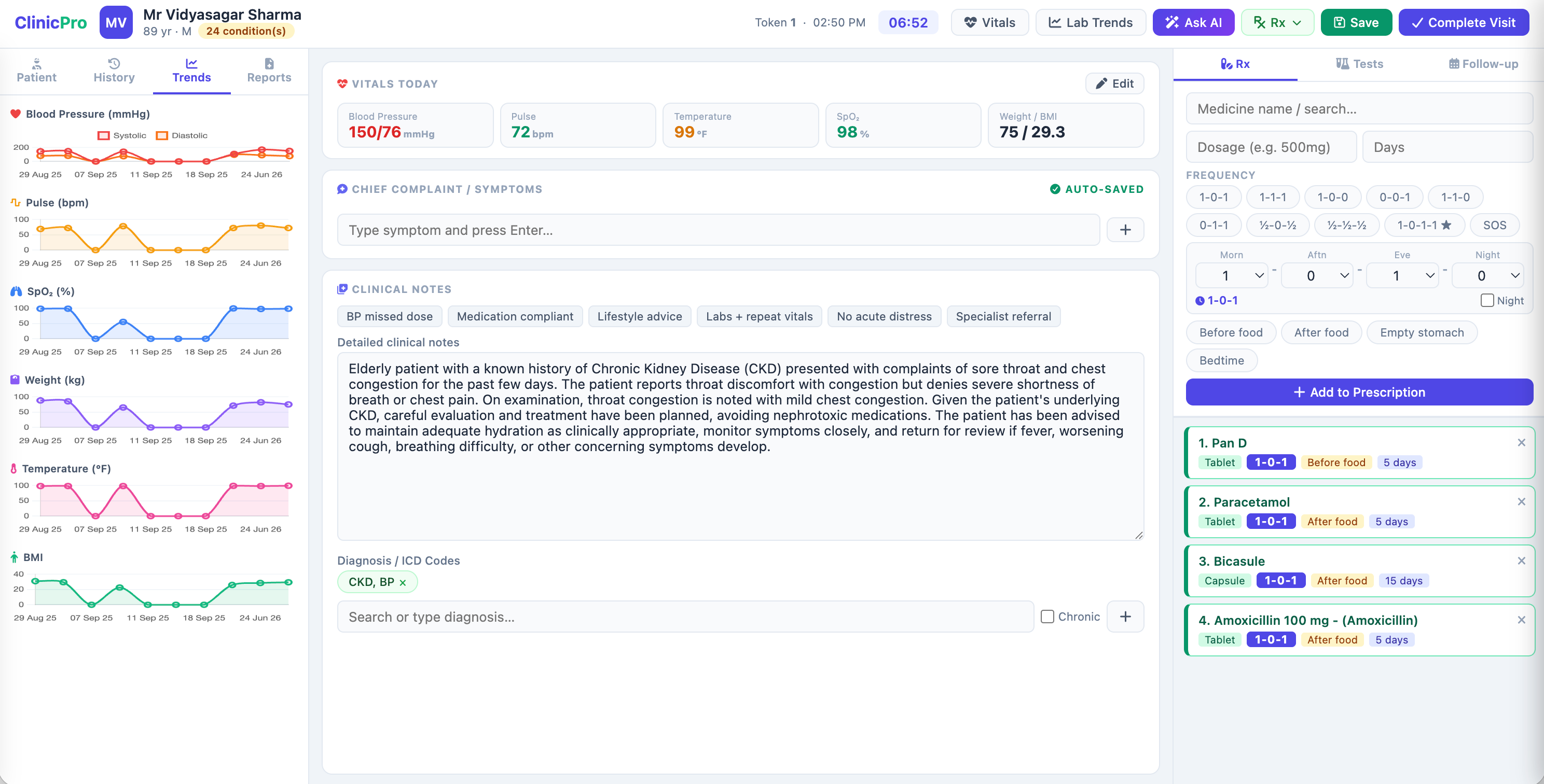
Consultation Trends
During the consultation, doctors can view trends of all key vital signs recorded during previous visits, helping them monitor patient progress and make informed clinical decisions.
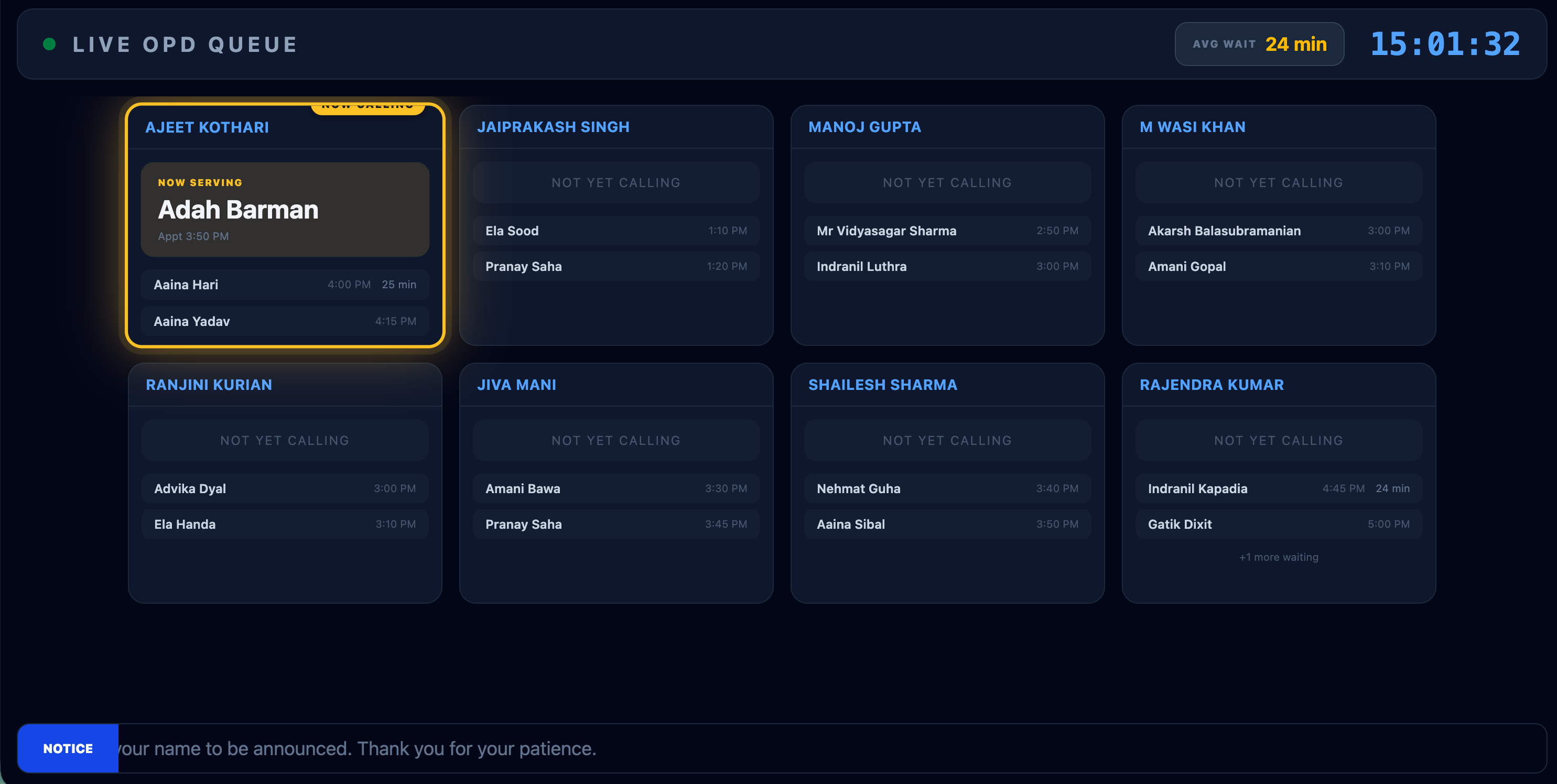
Kiosk
The Patient Waiting Area Kiosk displays the live consultation queue for all doctors in the clinic. As soon as a doctor clicks the Call Patient button from the consultation screen, the patient's name is automatically announced and highlighted on the kiosk, guiding them to the correct consultation room. The display also shows the current queue, waiting patients, and estimated wait times, ensuring a smooth, organized, and hassle-free patient experience.
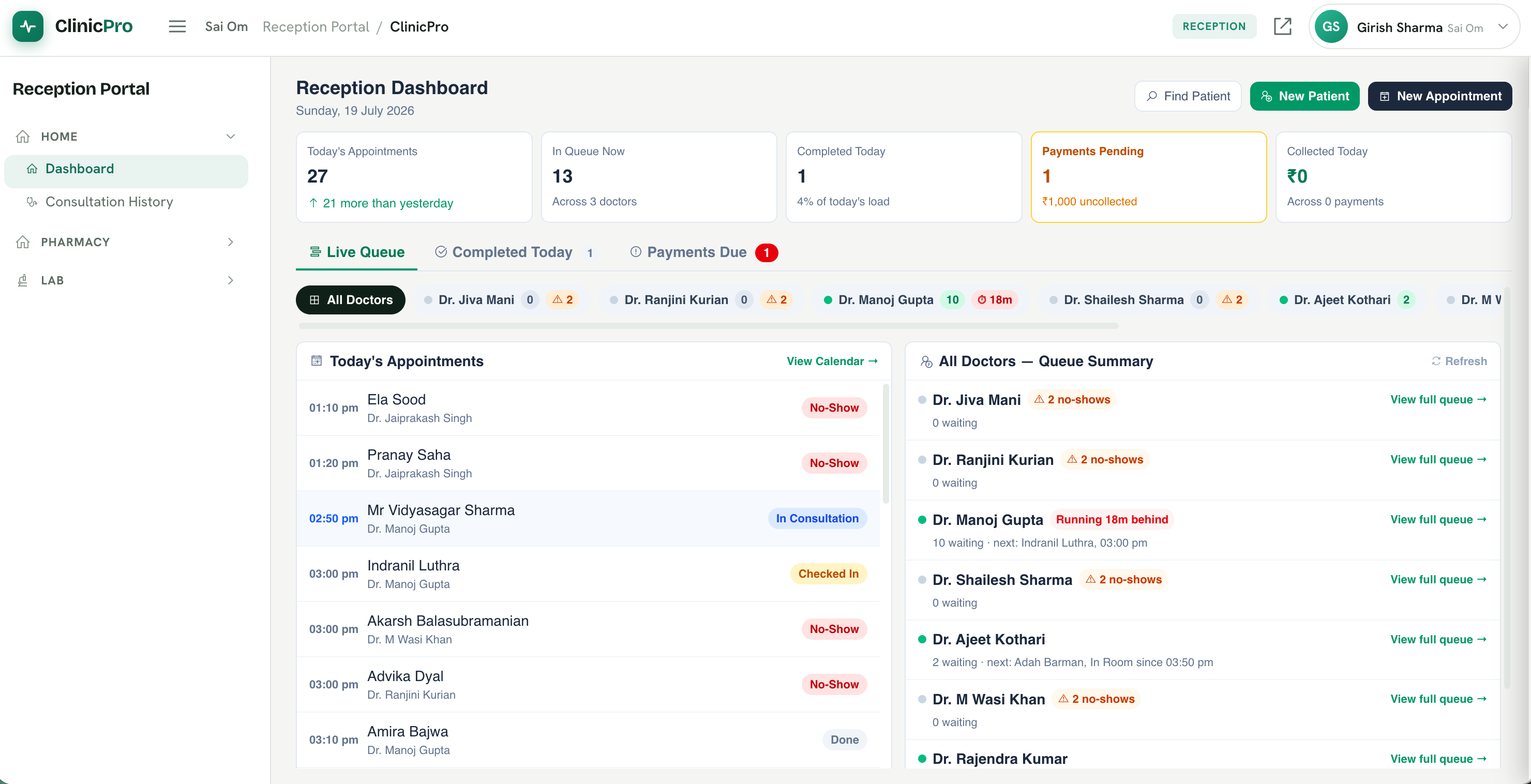
Reception Portal
The Reception Portal is the central workspace for front desk staff, enabling them to manage the complete patient journey from arrival to departure. Receptionists can book and reschedule appointments, monitor each doctor's live queue, check in patients, manage waiting lists, collect consultation fees, print prescriptions, and access consultation history. Real-time queue updates, payment tracking, and doctor-wise dashboards help streamline daily operations, reduce patient waiting time, and ensure a smooth and efficient clinic experience.
Appointments & Queue
Smart appointment scheduling with automatic conflict detection, patient reminders, and real-time queue management. The system tracks patient arrival, manages priority tagging for emergencies, and displays live queue updates on waiting area kiosks with text-to-speech announcements.